
Split
50/30/20
Take-home pay goes 50% to needs, 30% to wants, 20% to savings. On ₹50,000 that is ₹25,000, ₹15,000 and ₹10,000. Easy to start, though in a city with high rent, needs can run past half.
Needs, wants, savings
Apps, spreadsheets, zero-based planners and your bank's transaction list all get called budgeting tools. This guide covers what budgeting is, why it matters, and which type fits how you pay.
The short answer
Paying mostly by UPI? A budgeting app that records a payment in seconds. Want a strict method? A zero-based tool. Already keep a spreadsheet? Keep it.
See the comparisonSpenrol makes one of the tools mentioned here. Last updated: November 2026. The tool types change slowly, so we recheck this page each year instead of rewriting it.
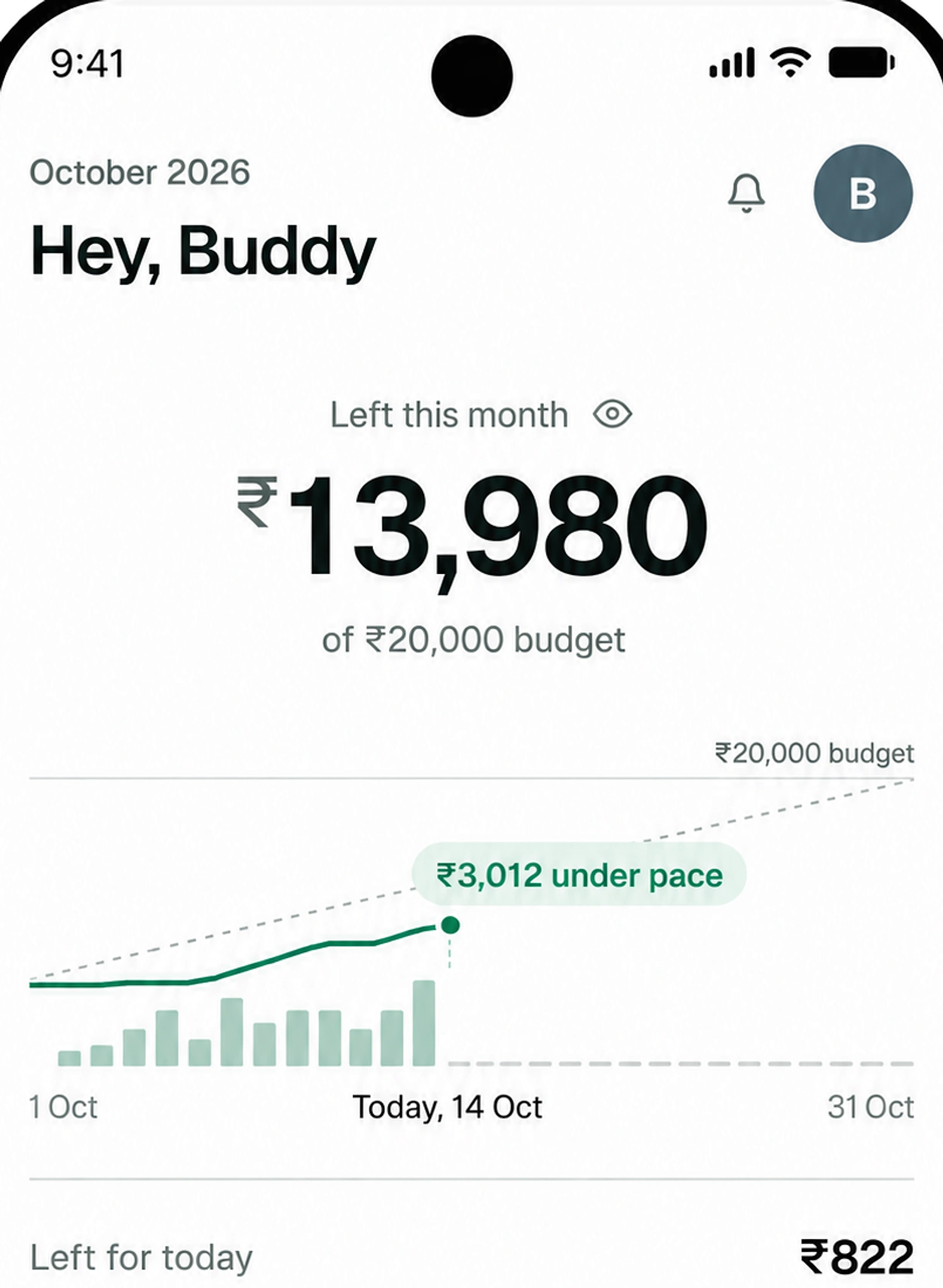
Left for today
₹822/day
₹13,980 left · 17 days to go
List what comes in, cover what has to go out, then split the rest between the things you care about. Tracking is the second half: checking through the month that what you spend matches the plan.
Example: ₹50,000 take-home, planned on salary day
Nothing complicated, but the ₹9,000 for savings is set aside on the day salary lands rather than left to whatever remains at the end. You now know what each rupee is for.
UPI made that easier. A ₹180 coffee, a ₹349 delivery and a ₹499 subscription each feel small, and with no cash leaving your hand nothing shows the total. By the 20th, you are wondering where the month went.
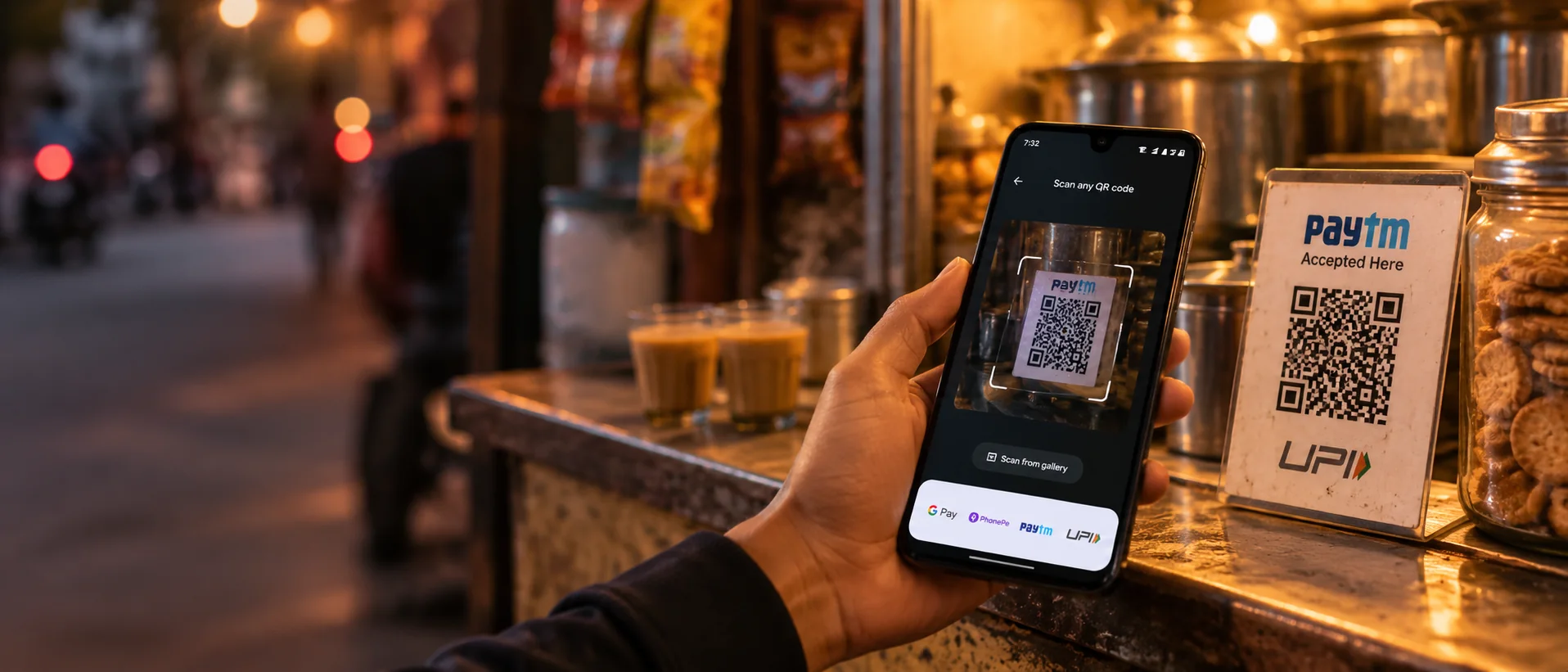
Small payments add up in one place, so the month stops being a surprise.
Rent and EMIs are covered before the fun money, not squeezed out by it.
It comes out on salary day instead of being whatever happens to be left.
You find out on day 12, while there is still time to change course.
It is also not about spending less. Plenty of good budgets include a generous amount for fun. The point is that you chose the amount.
You do not need to invent a method. These four are widely used, and the tool you pick often follows from the one that suits you.
Split
Take-home pay goes 50% to needs, 30% to wants, 20% to savings. On ₹50,000 that is ₹25,000, ₹15,000 and ₹10,000. Easy to start, though in a city with high rent, needs can run past half.
Needs, wants, savings
Assign
Every rupee gets a job until income minus planned spending is zero. Stricter, with more planning each month, and little room for money to vanish. More on our zero-based budgeting app page.
Every rupee assigned, nothing left over
Cap
A fixed amount per category. When it is gone, you stop spending in that category until next month.
Travel has hit its cap. Going out still has room.
Reverse
Move savings out the moment salary arrives and spend whatever is left, with no category limits at all.
Savings leave first, the rest is yours to spend
How long does one payment take to record?
In our experience, past about ten seconds people stop logging within a few weeks.
Does it handle GPay, PhonePe and Paytm directly?
If it does not, it will miss most of your daily spending.
What does it need access to?
A bank login, your SMS, your notifications, or nothing. Any of these can be fine if you know what you are agreeing to.
Can you see what is left before you pay?
A budget you can only read after the month is over is a report, not a limit.
Looking for specific apps? See our expense tracker comparison. Below we compare the type of tool first.
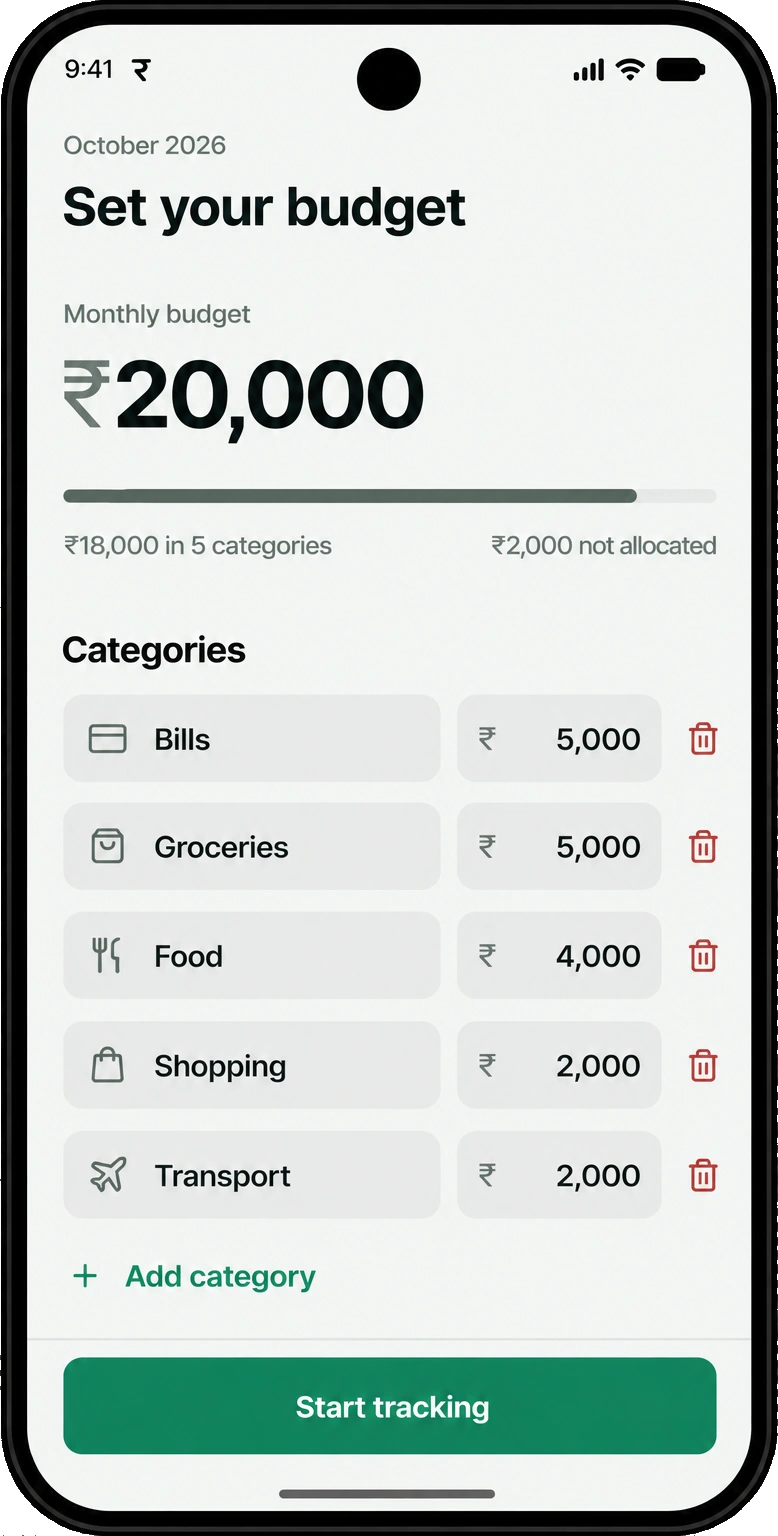
Plan the month. Set a budget and split it into categories. Money you have not assigned waits in Not allocated.
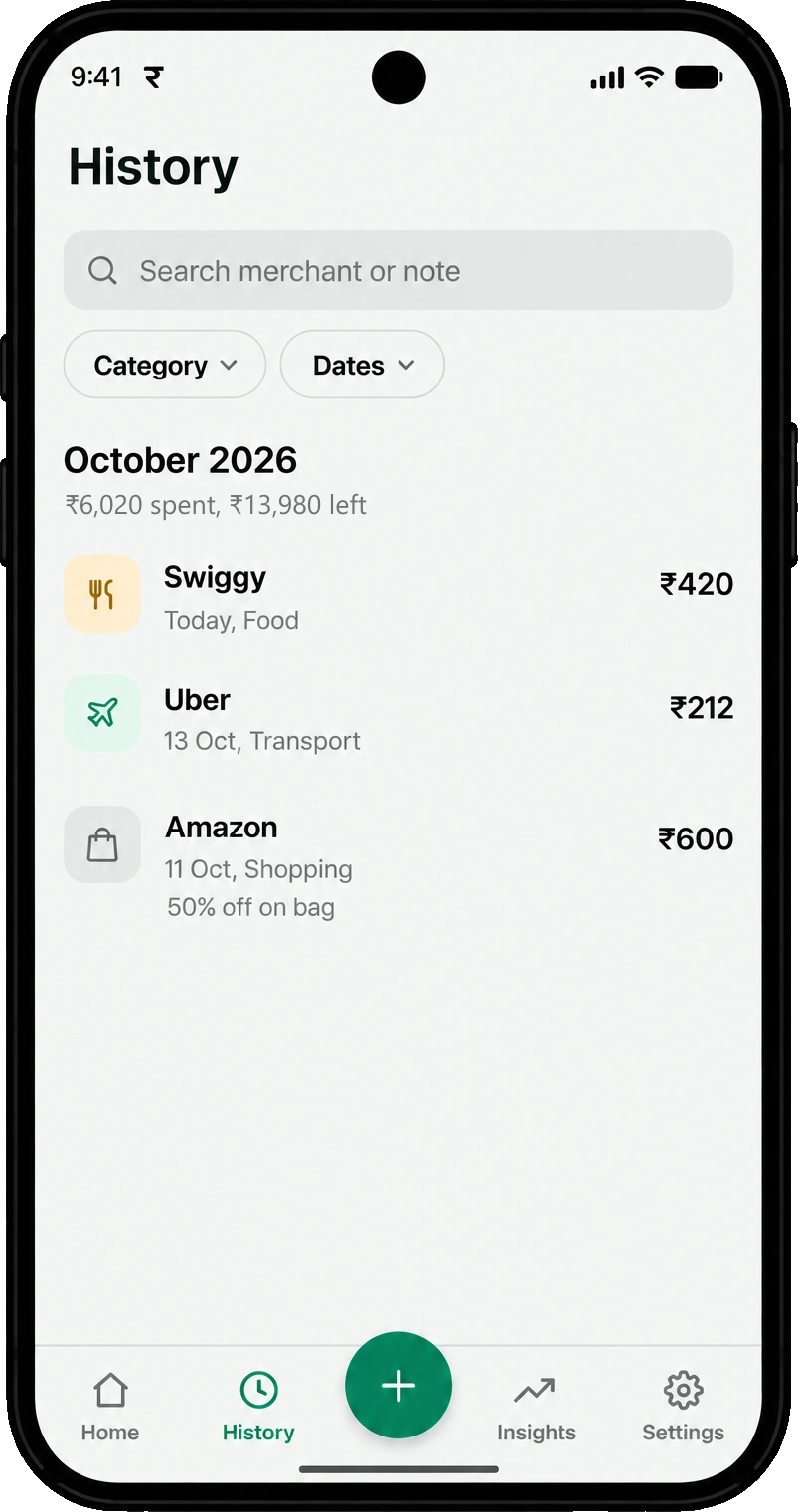
Log every spend. Each payment lands in History with its category, and the month shows spent and left at the top.
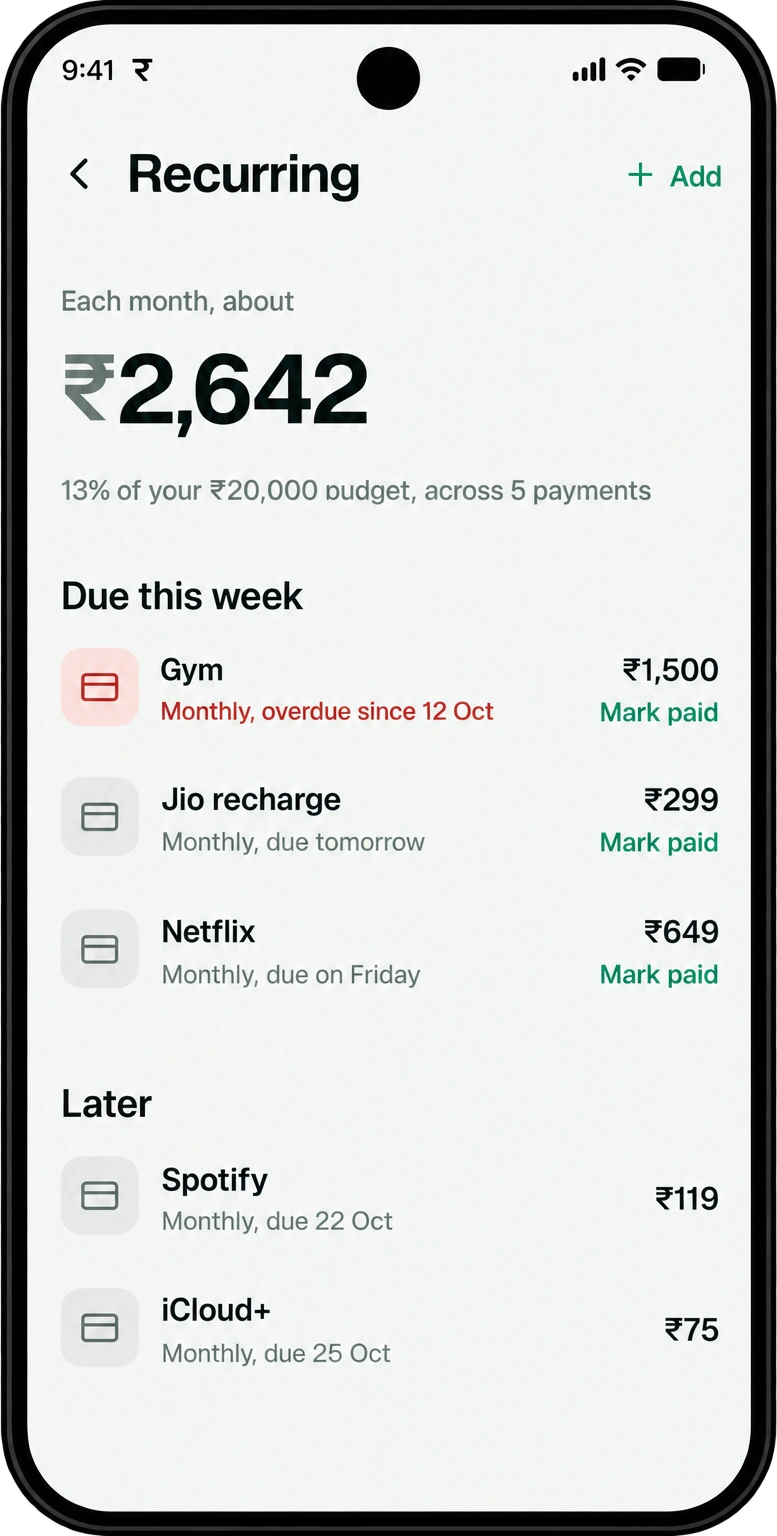
Stay ahead of bills. See what is due this week before it is overdue.
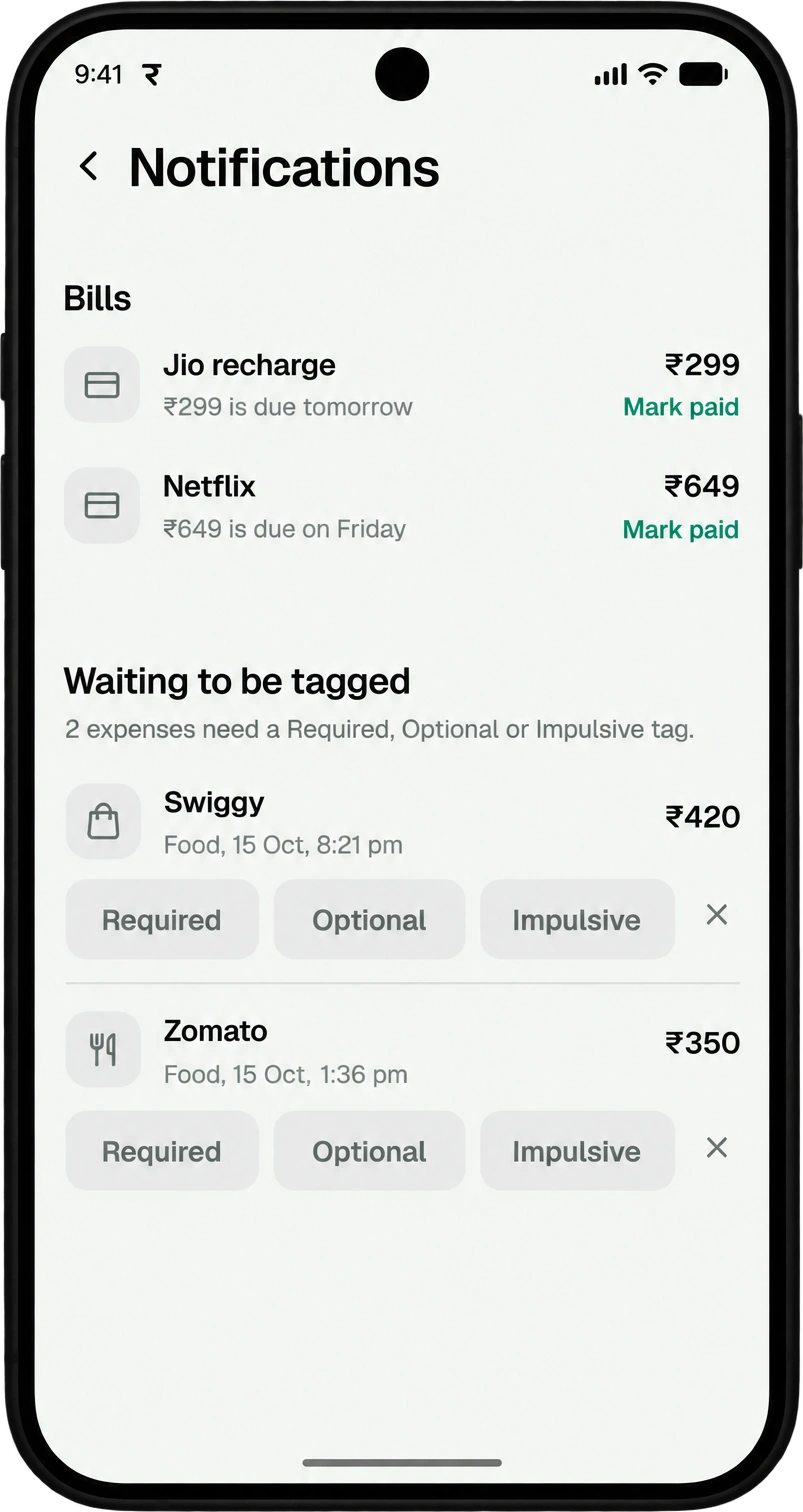
Tag in a tap. Mark each spend Required, Optional or Impulsive.
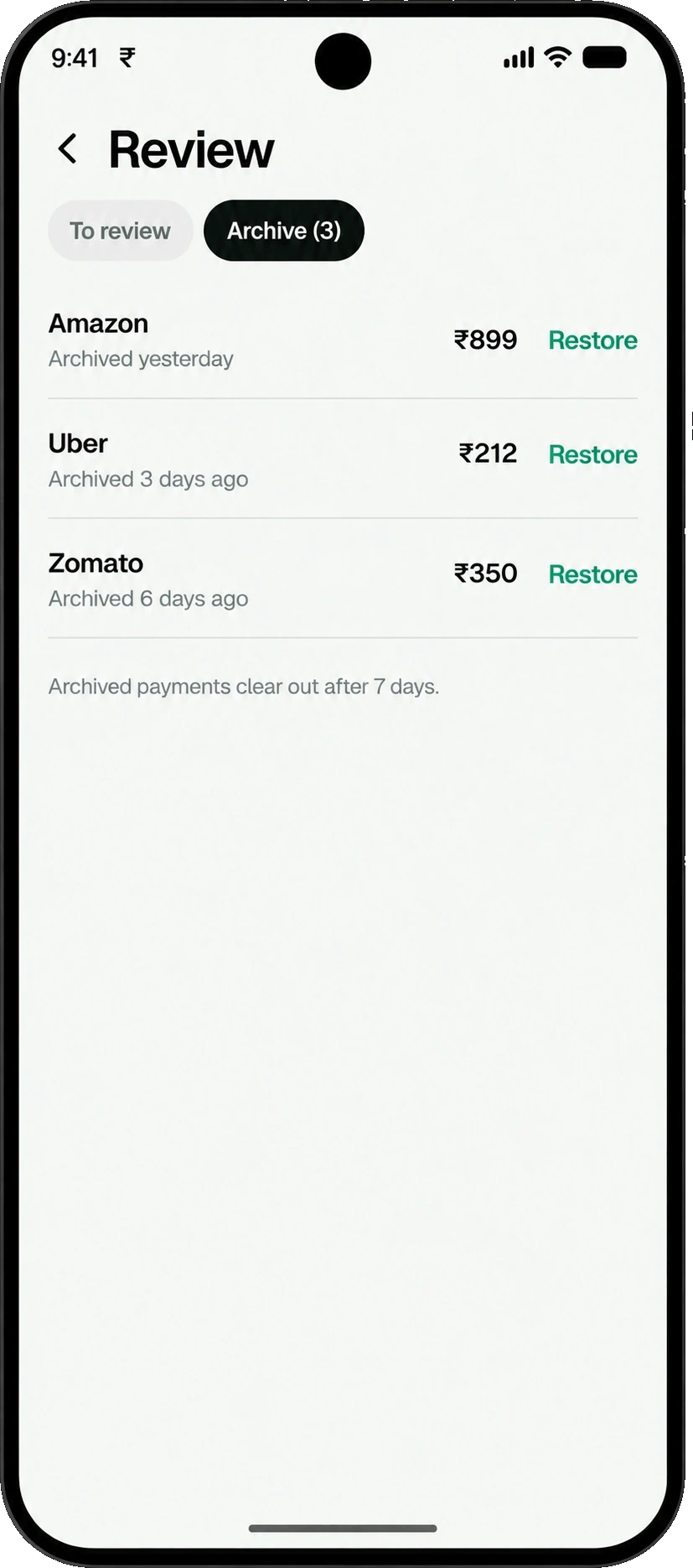
Undo mistakes. Archived payments can be restored.
Spenrol screens with sample data.
| Feature | Budgeting app | Spreadsheet | Envelope / zero-based | Bank or UPI app view |
|---|---|---|---|---|
| Effort per spend | Low (screenshot or one tap) | High (type every row) | Medium (assign and log) | None (automatic) |
| Works well for UPI | Yes | — | Yes | Yes |
| Needs bank login or SMS | Depends: some read SMS, some never do | No | No | Already inside the bank app |
| Shows what is left to spend | Yes | If you build it | Yes | — |
| Setup time | Minutes | An evening | An hour, then monthly | None |
| Cost | Free to paid | Free | Free to paid | Free |
An app records each spend and shows what is left in each category, which makes it the easiest type to stay with. Where they differ is how a spend gets in. FinArt reads SMS, email and notifications on its own. Money Manager and Monefy are manual ledgers you type into. Spenrol reads a GPay, PhonePe or Paytm screenshot you share, or you enter the spend yourself, and SMS tracking is optional.
The catch is access: auto-logging apps need broad phone permissions, and manual ones need you to type every payment.
Pick it if: you pay mostly by UPI and want a budget you will actually keep up.
Budgeting app for IndiaWhen salary lands, you assign every rupee to rent, food, savings or spending. It suits people whose money is gone before month end with no clear reason.
Expect more setup each month than a plain tracker. YNAB and Goodbudget are built on this method, and Spenrol vs YNAB and Spenrol vs Goodbudget show how they differ.
Pick it if: you want a strict method and are fine planning at the start of the month.
Zero-based budgeting appIt costs nothing, you choose the categories and formulas, and the file is yours. The trouble is that every UPI payment must be copied in by hand from a statement or app history, so the sheet slowly falls behind.
Pick it if: you enjoy building the system and do not mind logging by hand.
It is already on your phone and logs everything for you, which is handy for finding one payment or checking a balance. What it lacks is a plan. It cannot tell you what is left for the month, or whether a particular spend was needed or just wanted.
Pick it if: you only want a record and not a budget.
If you are salaried and pay by UPI
The safest start. See the budget app for young professionals.
Left for today
₹822/day
₹13,980 left · 17 days to go
If money runs out before the month does
It forces the decision on salary day, when you still have the money to decide with.
Monthly budget
₹20,000
₹18,000 assigned · ₹2,000 not allocated
If impulse buys are the leak
Tag each spend required, optional or impulsive. See the impulse spending tracker.
Shopping
UPI · 11 Oct · “50% off on bag”
If you want to share nothing with an app
Or keep your spreadsheet and screenshot each payment. See tracking from a screenshot.
Read from a Google Pay screenshot
₹420
Zomato · Food · Optional
Done on your phone
Pick one tool from the table. Resist installing three.
Enter your monthly income and fixed costs: rent, EMIs, subscriptions.
Make about eight categories. Limits can wait for a month of data.
Log your next UPI payment right after you make it.
At month end, compare plan with actual and adjust.
Step 4 in Spenrol: pay, share the screenshot, check the auto-filled expense, save.
Setting tight limits before seeing real numbers is the common one. Twenty categories is another, since each extra one slows every entry. Logging once a week means cash and small UPI spends get forgotten. And plenty of people quit after a single overspent week, when changing the limit and carrying on would have worked fine.
Something else? Write to support@spenrol.com
The one you are still using in month three. For most people in India that means an app that records a UPI payment in a few seconds. A spreadsheet suits you if you like building things yourself, and a zero-based or envelope tool suits you if you want a strict method.
There is no single number. A common starting point is the 50/30/20 rule: half of take-home pay for needs, 30% for wants, 20% for savings. If rent takes more than half of your pay, adjust the split to what your real numbers allow, then raise savings when you can.
If you already keep one up to date, yes. It is free and you control everything. The usual failure is logging: UPI payments pile up and the sheet falls a few weeks behind.
Not with Spenrol. It works from screenshots and manual entry, and SMS tracking is optional and off by default. Some other apps read SMS, email and notifications to log spends on their own. That is quicker, but the app can see more of your phone.
You do not need to start with one. Every type here has a usable free option. Pay later only if a specific feature, such as syncing across devices, solves a problem you have actually run into. Spenrol has no paid tier. For other tools, check current pricing on their own pages.
One salary cycle. The first month shows you where the money goes, and from the second month you can set limits based on real numbers rather than guesses.
“Being able to classify expenses as Required, Optional, or Impulsive makes it easier for me to understand my spending habits. It also makes me think twice before spending on something impulsively.”
Free, SMS access optional, no bank login. Live now on Android.

Scan to download on your phone