
B₹1,200
Bills
UPI · 12 Oct
RequiredOptionalImpulsive
Required
₹3,300 in OctRent, bills, groceries, the electricity recharge. Spending you’d repeat without thinking twice.
Spenrol asks why you spent: tag every payment Required, Optional or Impulsive. It nudges you when you open Swiggy or Amazon, and picks up payments from a screenshot or your bank alerts so logging takes seconds.
74%
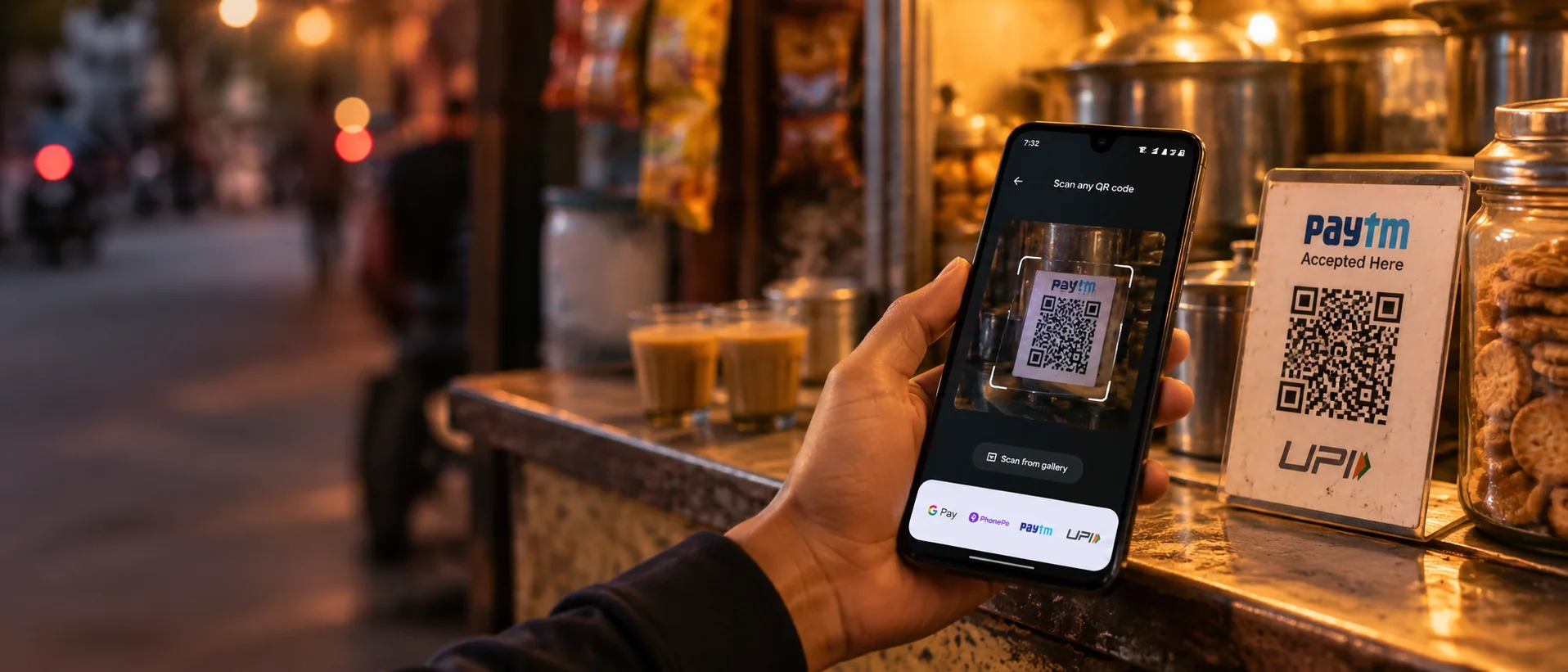
of UPI users say they spend more since they started paying by phone.
Source: IIIT Delhi, 2024. UPI made paying effortless. Spenrol puts back the three seconds of thought.
The core of Spenrol. Every payment gets a reason: Required, Optional or Impulsive. You always pick it, the app never guesses. Tag it once and the pattern starts showing up on its own.
Bills
UPI · 12 Oct
Rent, bills, groceries, the electricity recharge. Spending you’d repeat without thinking twice.
Transport
UPI · 13 Oct
Chosen, not needed. A Swiggy dinner, an auto instead of the metro. Fine, as long as it was a choice.
Shopping
UPI · 11 Oct · “50% off on bag”
The “50% off” bag, the late-night cart. Naming it once is how you start catching it next time.
Open a food, shopping or cab app and Spenrol shows how much of that budget is left and how often you have paid that app this month. You see it while the cart is still open.
Watches 15 apps: Swiggy, Zomato, Blinkit, Zepto, BigBasket, Amazon, Flipkart, Myntra, Ajio, Nykaa, Meesho, Uber, Ola, Rapido, BookMyShow.
You open Swiggy

Spenrol · now
₹2,360 left for Food
You've used 41% of your Food budget this month.
Shown over the app for 8 seconds, then it goes away. Click to replay.
Two ways to log without typing: share a payment screenshot, or let Spenrol pick payments up from your bank alerts. You still choose the reason.
Screenshot. A ₹420 Zomato order paid on Google Pay becomes a Food expense in about ten seconds. Google Pay, PhonePe and Paytm all work. The screenshot is read on your phone.
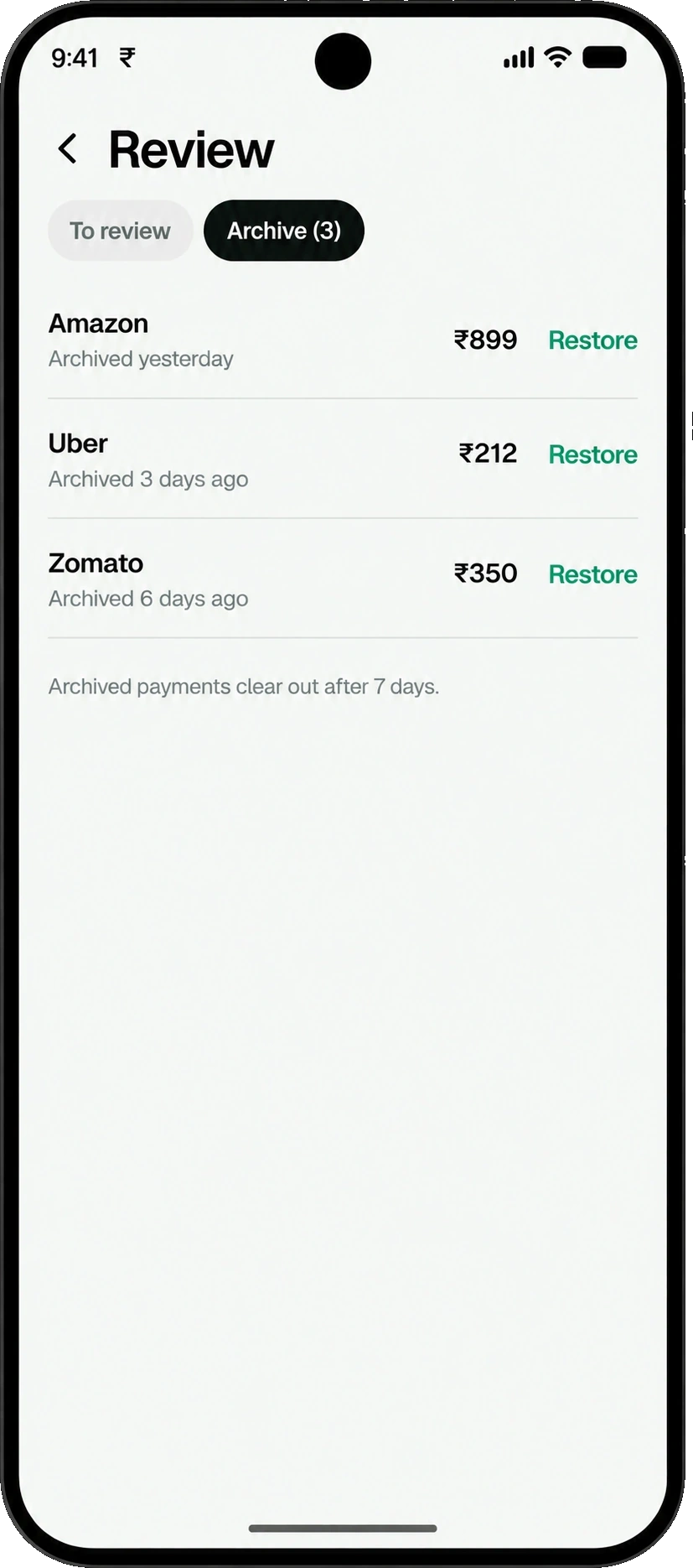
Bank alerts (optional). Turn on SMS tracking and each payment waits as a card at the end of the day. Swipe to add it as Required, Optional or Impulsive, or archive it. Nothing counts until you add it. Android only, off by default.
Category comes from where you filed that merchant before. Auto-fill can make mistakes, so Spenrol shows a reminder to review before you save.
Turn on SMS tracking and Spenrol finds payments in your bank alerts. Each one waits as a card at the end of the day. Nothing counts as spending until you add it.
Archived payments stay for 7 days with a Restore button. Android only, off by default. Spenrol uploads the amount, date, merchant and account, never the message.
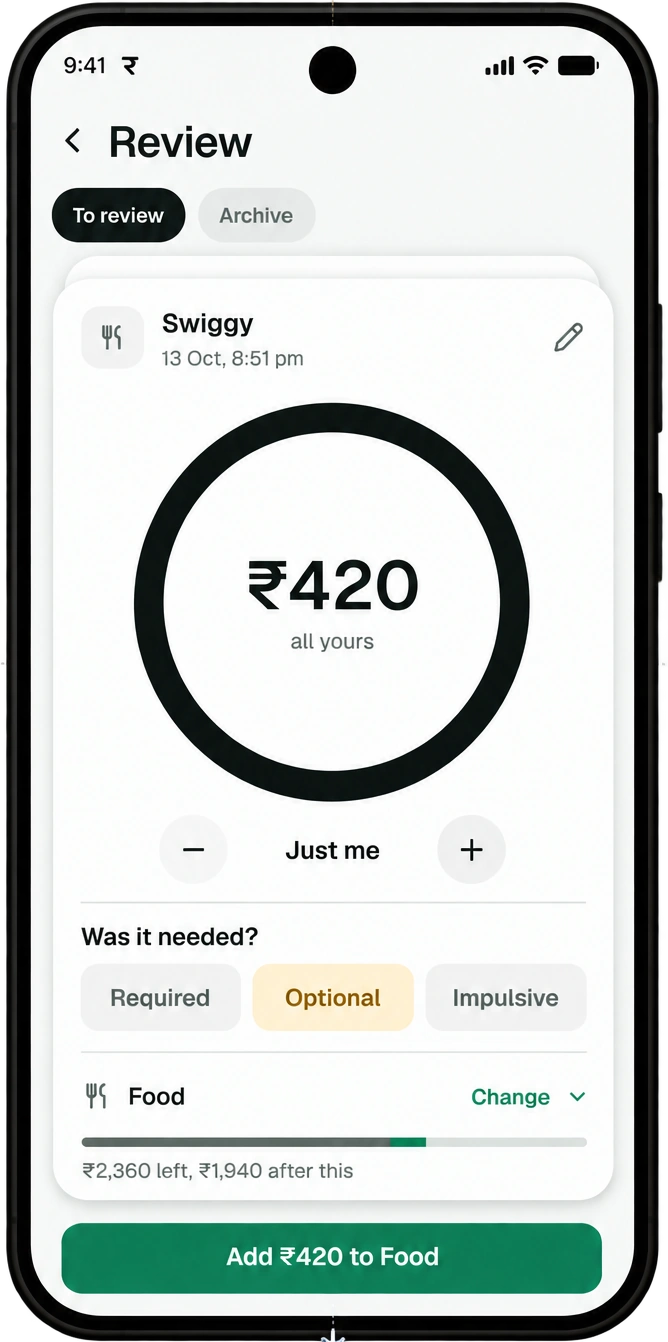
Uber
13 Oct, 6:40 pm
₹212
all yours
Was it needed?
₹1,520 left, ₹1,308 after this
Swiggy
13 Oct, 8:51 pm
₹420
all yours
Was it needed?
₹2,360 left, ₹1,940 after this
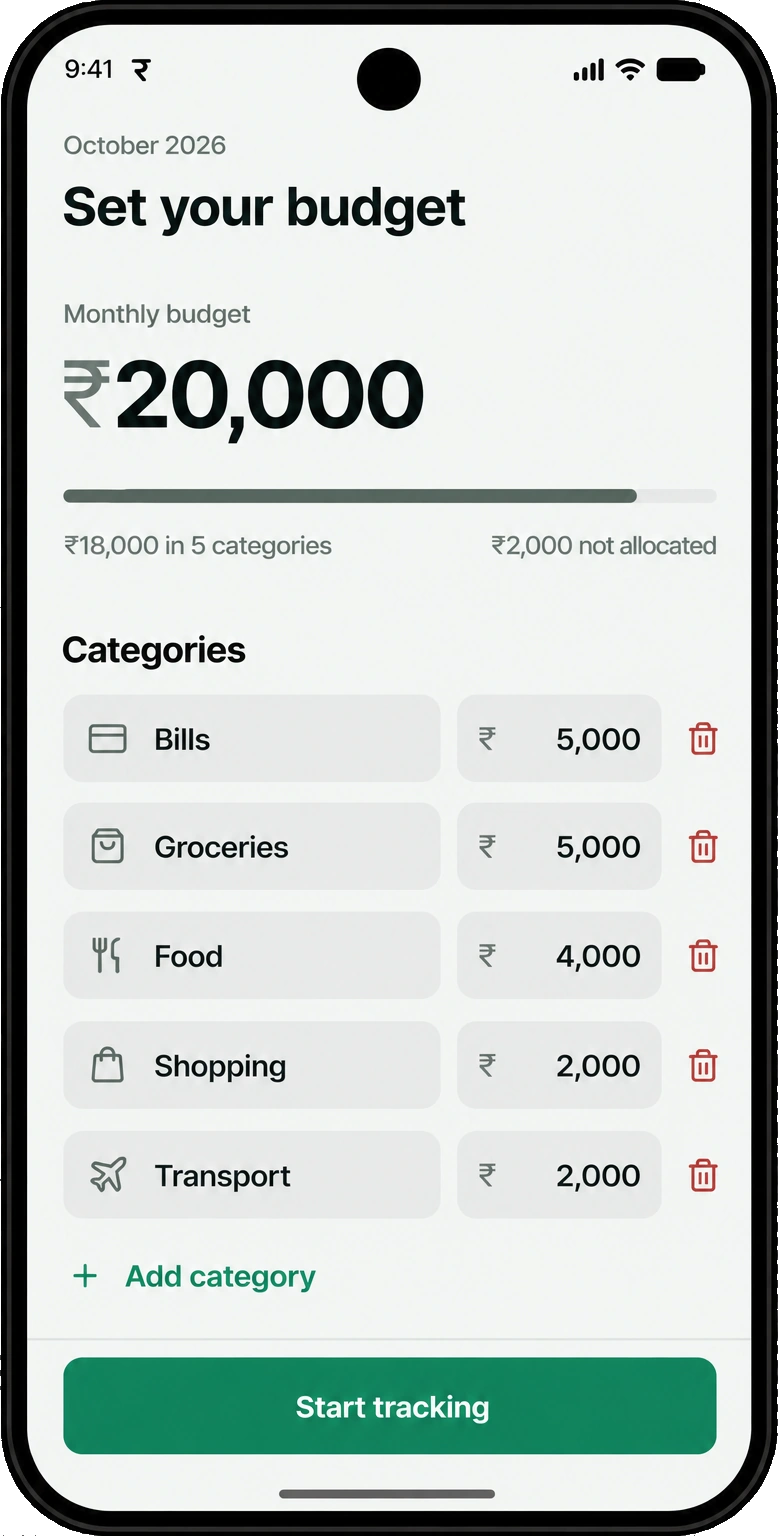
Split your monthly budget across categories. Whatever you don’t assign waits in Not allocated, so the total always adds up. Then watch each category, not just the total.
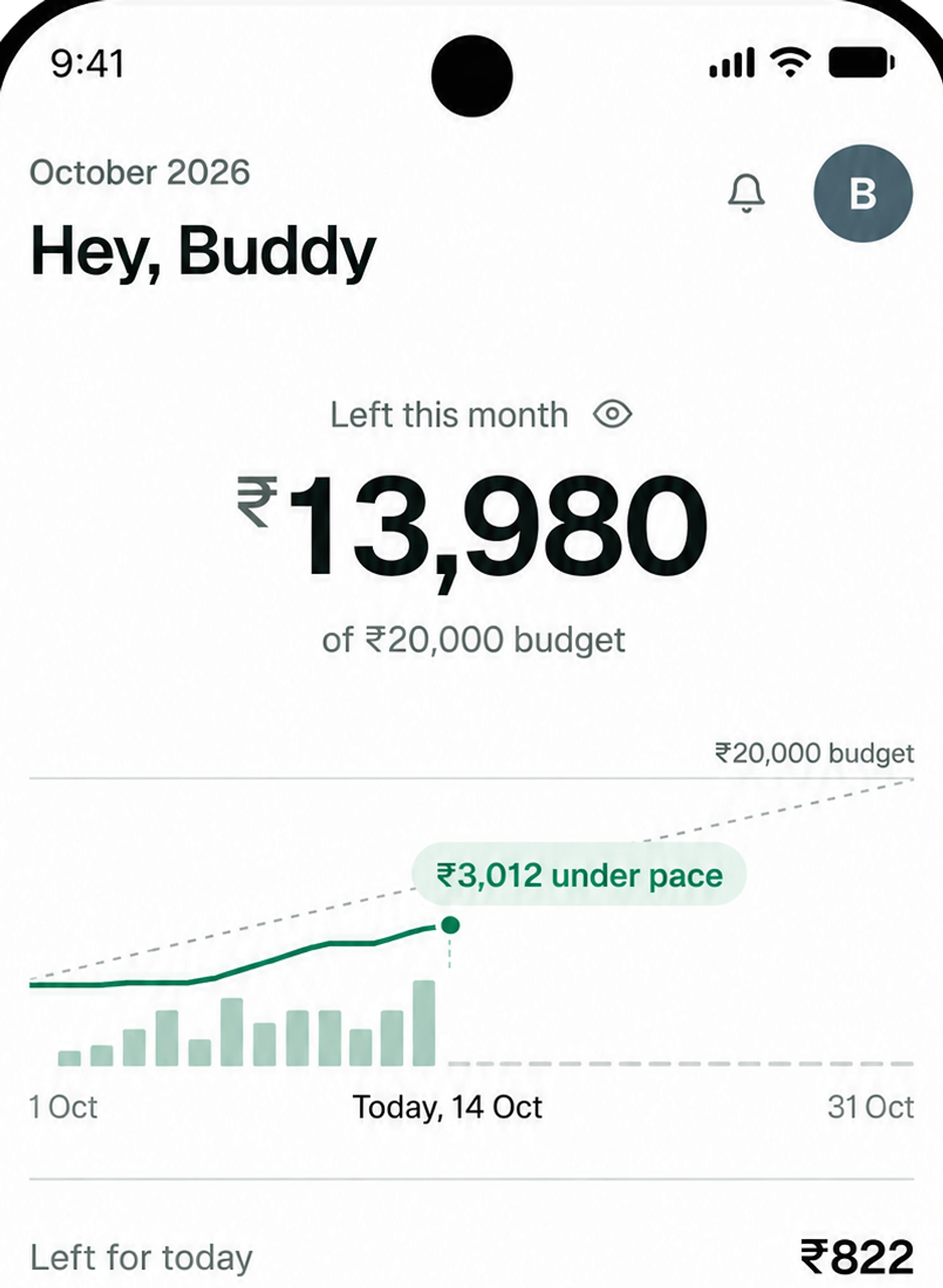
October 2026 · day 14 of 31
| Category | Progress | Spent | Budget | Left |
|---|---|---|---|---|
| Bills | ₹1,200 | ₹5,000 | ₹3,800 | |
| Groceries | ₹2,100 | ₹5,000 | ₹2,900 | |
| Food | ₹1,640 | ₹4,000 | ₹2,360 | |
| Shopping | ₹600 | ₹2,000 | ₹1,400 | |
| Transport | ₹480 | ₹2,000 | ₹1,520 | |
| Not allocatedAuto | ₹0 | ₹2,000 | ₹2,000 |
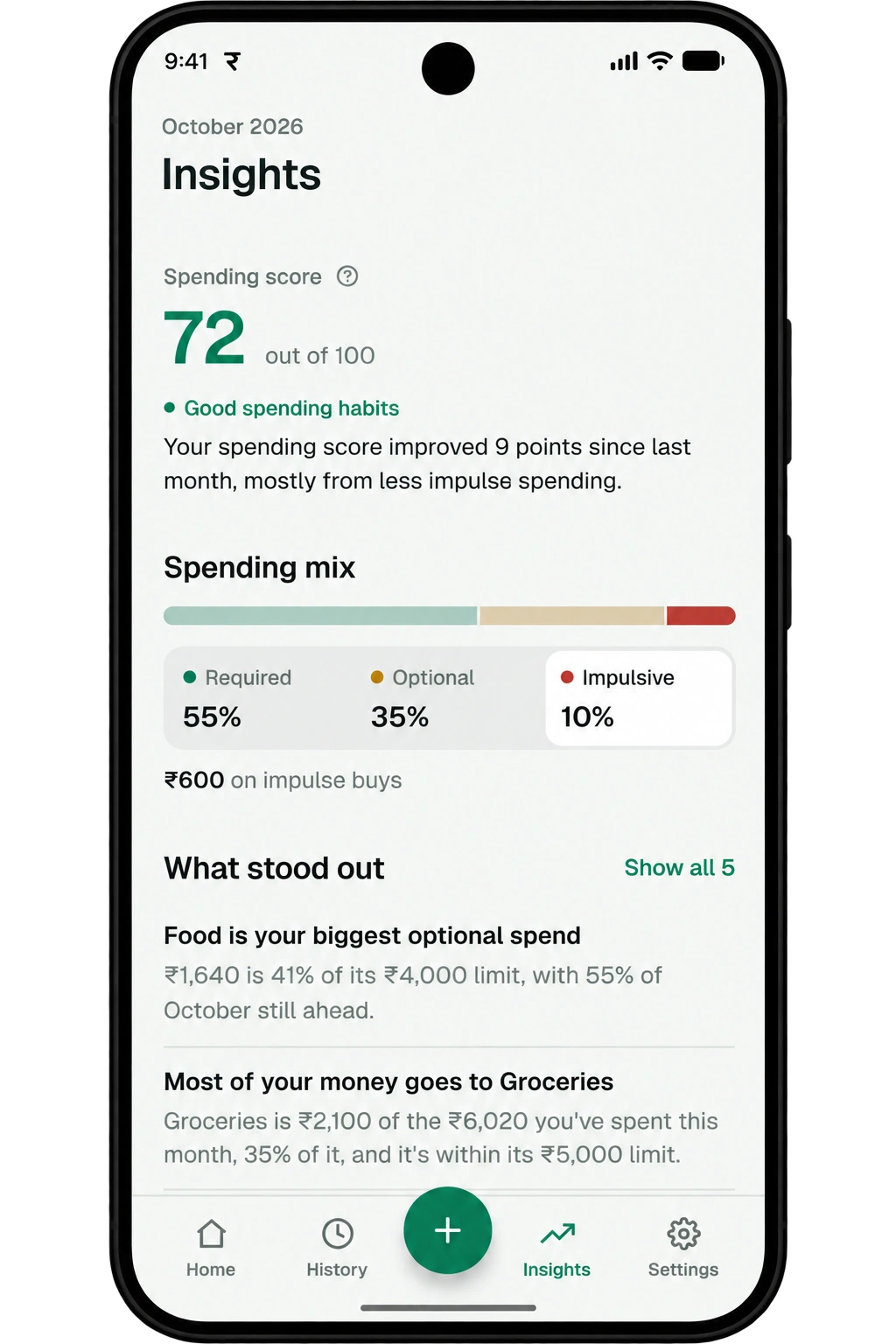
Your tags add up to a spending score from 0 to 100, a read on how much of the month was on purpose.
Spending score · October 2026
72/100
Intentional this week
5 of 7
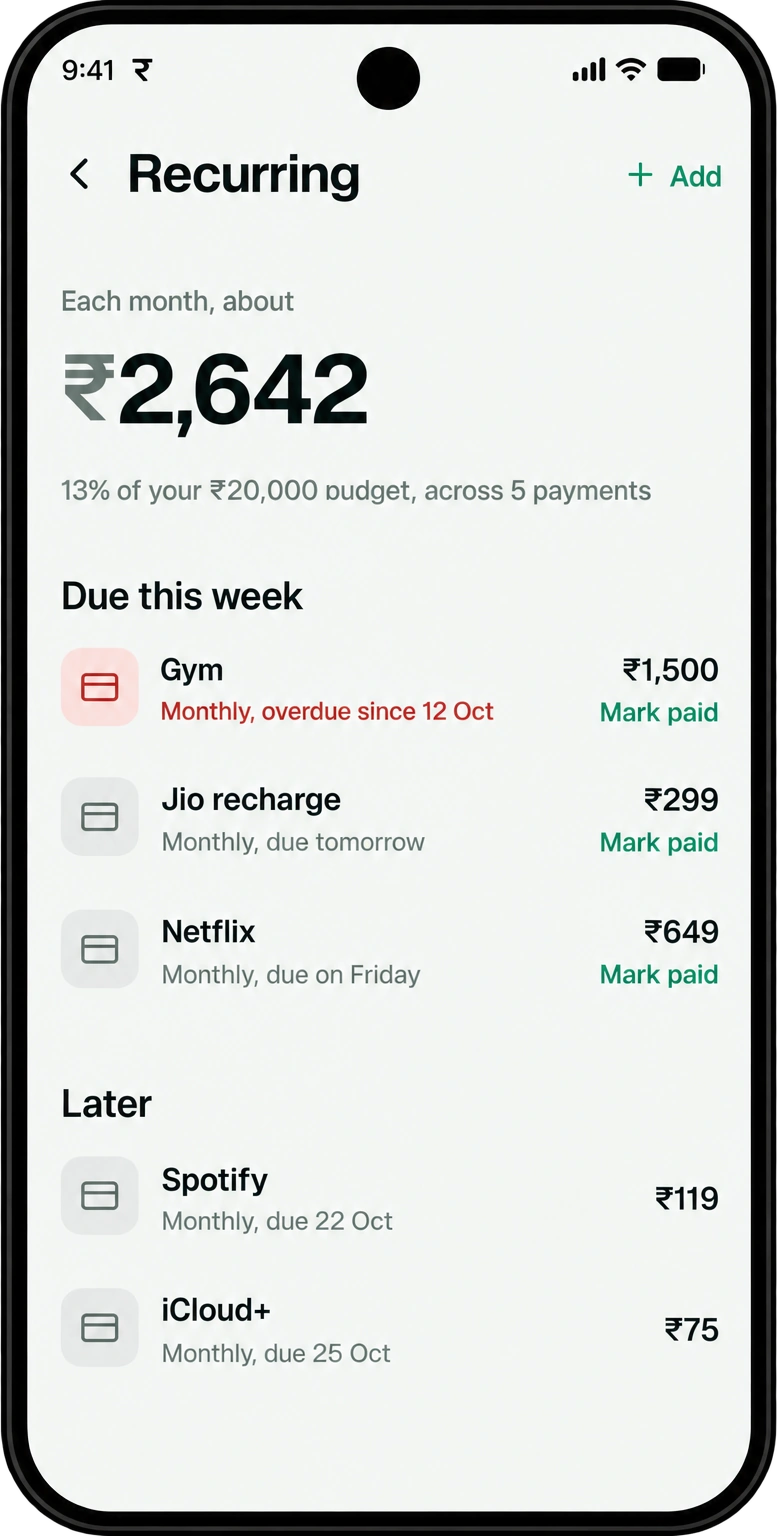
Add your bills and subscriptions once, weekly, monthly, yearly or on a custom interval. Spenrol shows your monthly total, lists what is due this week first, and lets you mark each one paid.
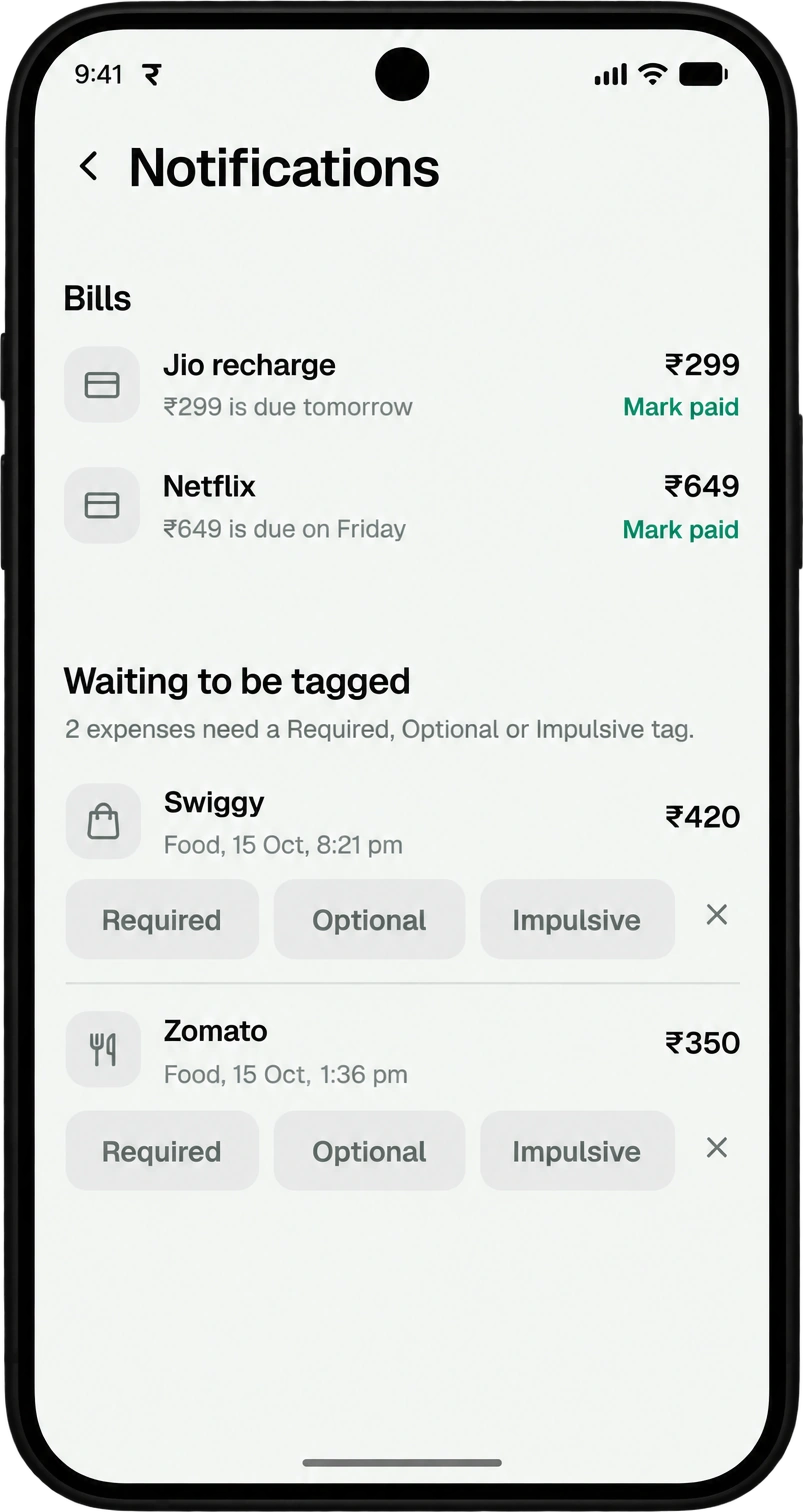
You get a reminder 2 days before, the day before and on the due day. When a bank alert matches a recurring payment, Spenrol links them. Any expense in History can be made recurring.
As of 25 Oct 2026.
“Being able to classify expenses as Required, Optional, or Impulsive makes it easier for me to understand my spending habits. It also makes me think twice before spending on something impulsively.”
“Very user friendly and obviously it is free. I am really enjoying it and managing my money.”
“I really like Spenrol. It has helped me manage my daily and monthly budget and reduce unnecessary spending. The Required, Optional, and Impulsive categories are especially useful for understanding my spending habits. I’d love to see better support for extra income like bonuses or part-time earnings, but overall it’s a really useful app for managing expenses.”
Spenrol reads the payment screenshot with text recognition that runs on the phone itself. The image never goes to our servers. What gets saved is the expense you check and confirm.
In your gallery
Paid to
Zomato
₹420
Greyed rows are never saved to Spenrol.
Saved to your account
Zomato
Food
| Feature | Walnut | Moneyview | ET Money | Spenrol |
|---|---|---|---|---|
| Main focus | Transaction history | Credit and loans | Investing | Monthly budget and habits |
| How spending is captured | SMS auto-read | SMS auto-read | SMS auto-read | Screenshot, manual or optional SMS |
| SMS access | Required | Required | Required | Optional, off by default |
| Asks why you spent it | — | — | — | |
| Spending score | — | — | — |
Based on our side-by-side pages for each app. Features change, so check each app before you decide. Compare in detail: Walnut, Moneyview, ET Money
Something else? Write to [email protected]
Yes. No ads, no subscription, no upsell.
Only if you turn it on. Bank SMS tracking is optional, Android only and off by default. Spenrol reads bank alerts on your phone and uploads just the amount, date, merchant and account, never the message. Nothing counts as spending until you review it.
It can happen, so every auto-filled expense waits for you to review it. Fix a field in two taps before saving.
Not yet. Join the waitlist and we’ll email you once, when it’s ready.
Not before the payment itself. That needs a UPI licence from NPCI, which we’re working toward. Today you pay in your usual UPI app. Spenrol can nudge you when you open apps like Swiggy or Amazon if you turn on spend nudges.
Free on Android. Takes about ten seconds a payment.

Scan to download on your phone
Next up: a check that shows your budget before a UPI payment goes through.