
Z₹420
Zomato
Google Pay · 3 Sept 2026, 12:01 pm
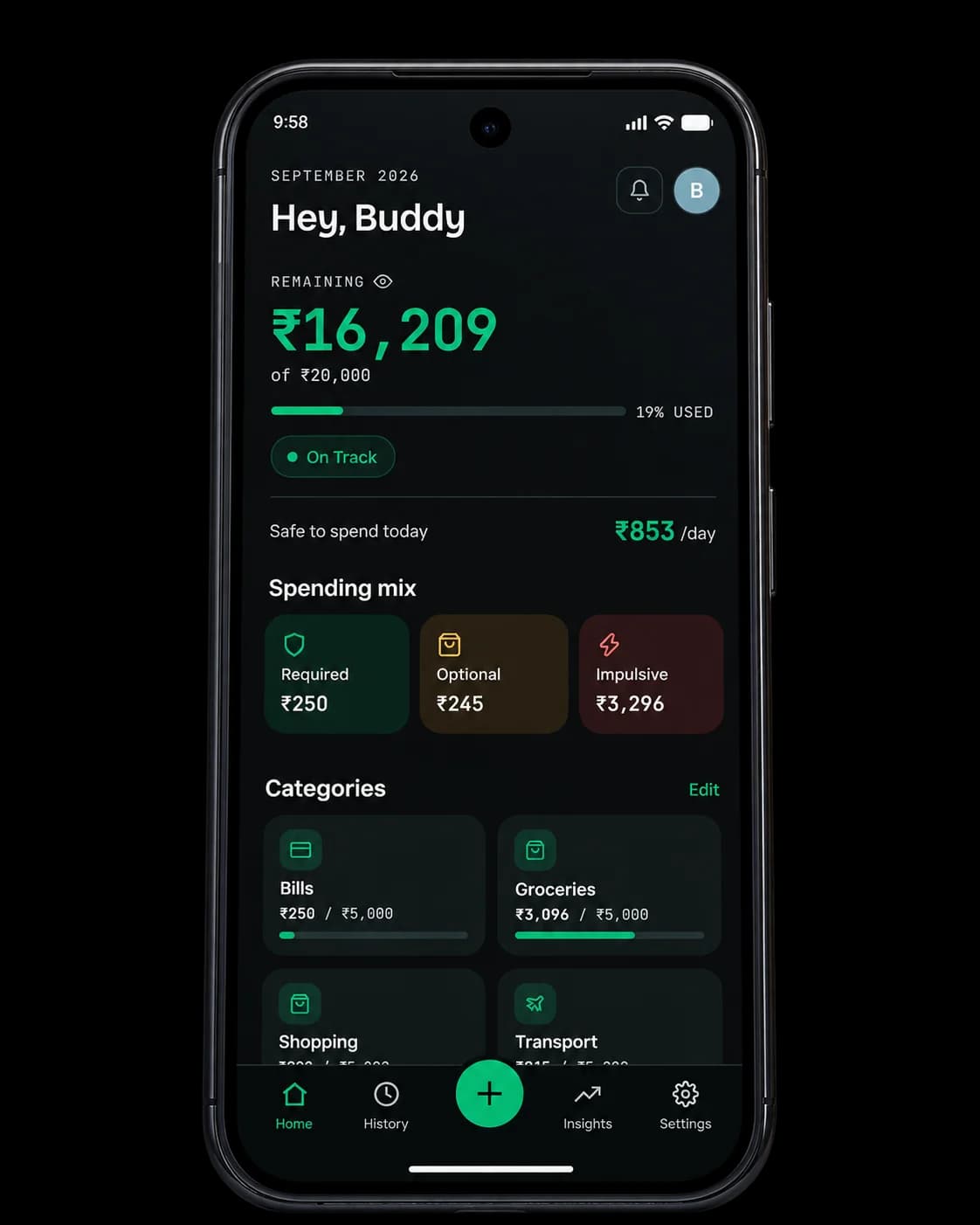
RequiredOptionalImpulsive
Share the screenshot
Share a GPay, PhonePe or Paytm payment screenshot to Spenrol, or type the spend in. The screenshot is read on your phone.
Android expense trackers in India mostly split into two groups: apps that read your SMS, and blank ledgers you fill in by hand. Spenrol is a free alternative that logs spends from a payment screenshot and has you tag each one required, optional or impulsive. No SMS access and no bank login.
Shopping
UPI · 10 Sep · “50% off on bag”
Search "expense tracker" on the Play Store and the top results fall into two groups. Apps like FinArt (4.5★, 1M+ installs) read your SMS, email and notifications to log every transaction automatically. It's quick, but the app can see everything in those inboxes, not only the bank alerts.
Apps like Money Manager and Monefy ask for no permissions. You type each spend in and pick a category. That's all they ask, so at the end of the month you have a total for each category and nothing else.
Neither tells you whether the ₹2,400 you spent on food this week was one planned grocery run or seven orders you'd rather forget. Spenrol asks that question every time you log a spend, without needing SMS access or a bank login.
Zomato
Google Pay · 3 Sept 2026, 12:01 pm
Share a GPay, PhonePe or Paytm payment screenshot to Spenrol, or type the spend in. The screenshot is read on your phone.
Shopping
UPI · 10 Sep · “50% off on bag”
Required, optional or impulsive. One tap. The app never guesses for you.
Spending mix · September 2026
Category totals and your Smart Spending Score update as you log, so by mid-month you can see which way it’s heading.
Taken from each app's own Play Store listing.
| Feature | FinArt | Money Manager | Monefy | Spenrol |
|---|---|---|---|---|
| How spending is captured | SMS/email/notification parsing | Manual entry | Manual entry | Screenshot + manual |
| SMS or notification access | Required | Not needed | Not needed | Not needed |
| Intent tags (required/optional/impulsive) | — | — | — | |
| Zero-based budgeting | — | — | — | |
| Smart Spending Score | — | — | — | |
| Pricing | Free | Free tier available | Free tier available | Free |
Want SMS-based trackers in the mix too? See the five-app comparison
Free on Android.
No SMS access, no card required.
Share a GPay, PhonePe or Paytm screenshot and Spenrol fills in the amount, merchant and category for you to check.
Tag each spend required, optional or impulsive. Spenrol never infers it.
Assign your income across categories before the month starts, so you know on day one what each category has to last.
Your tags add up to a 0–100 score for the month.
Turn on Split, enter how many people are sharing, and only your share counts against your budget.
No SMS permission, no bank login. Your data is never sold or shared.
Something else? Write to [email protected]
Depends on what you're after. FinArt (4.5★, 1M+ Play Store installs) reads your SMS, email and notifications and logs spends on its own. Money Manager and Monefy are popular manual ledgers where you type each spend in. Spenrol is also manual, but faster with screenshot capture, and it asks you to tag each spend required, optional or impulsive, which none of the others do.
No. Spenrol works without SMS, email or notification access. You share a UPI payment screenshot, which is read on your phone, or you type the spend in. Nothing outside what you share is accessed.
Yes. No paid tier, no ads, and no limit on transactions or budgets.
Money Manager and Monefy are flexible ledgers: log a spend, pick a category. Spenrol adds two things. It's a zero-based budget, so your whole income is assigned to categories before the month starts. And each spend gets an intent tag, which feeds a monthly Smart Spending Score.
Not yet. Spenrol is on Android now, with iOS to follow. Join the waitlist and we'll email you once, when it's ready.
After paying on Google Pay, PhonePe or Paytm, share the payment screenshot to Spenrol from your phone's share sheet. It fills in the amount, merchant and category. You check them, tag the intent and save.
“Being able to classify expenses as Required, Optional, or Impulsive makes it easier for me to understand my spending habits. It also makes me think twice before spending on something impulsively.”

Scan to download on your phone