
Search
By merchant or by the note you wrote.
Every month you track is saved. Open one to see what you spent, or search for a single payment.
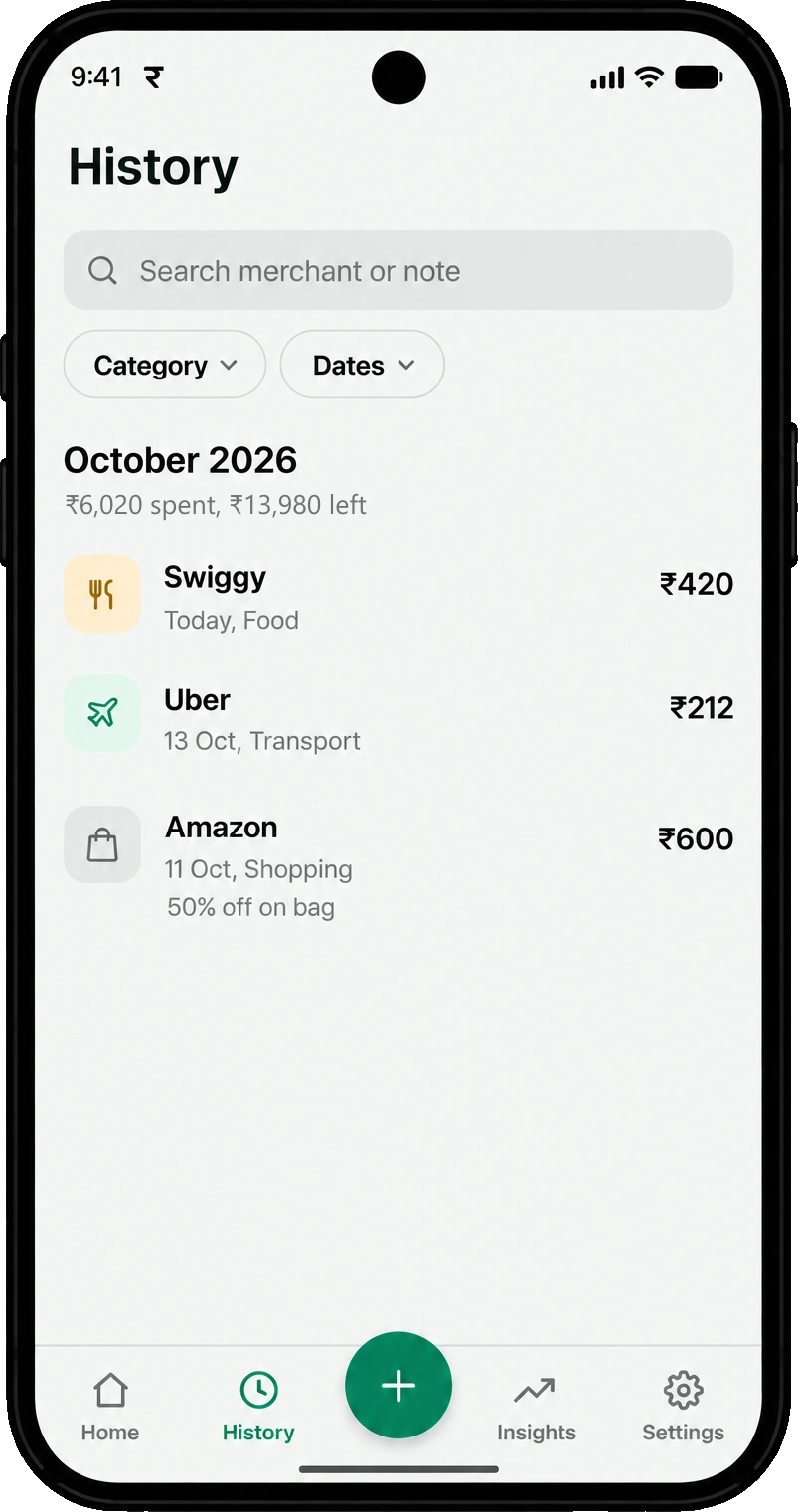
History lists your expenses grouped by month. Tap a month’s header to open it and see exactly how it went. Past months open read-only, so they don’t change.
Search by merchant or note, filter by category or date range, or show only the expenses you haven’t tagged yet. Tap an expense to edit it, or turn it into a recurring payment.
Category, Dates and Untagged combine, so you can look at only untagged Food spending from last month. Dates offers This month, Last month, Last 7 days or a range you pick, and you can clear one filter without losing the others.
Open an expense and Spenrol offers “Make it recurring” when you don’t already have a recurring payment for it. Rent or a subscription you logged by hand can become a reminder.
If a search or filter finds nothing, History says “No matches” and you can clear the filters. Before your first expense it shows a shortcut to add one.
By merchant or by the note you wrote.
Only Food, only Transport, or any of your own.
This month, last month, last 7 days or a range you pick.
Something else? Write to support@spenrol.com
Yes. Tap it in History to change it.
Yes. A filter shows only the expenses that don’t have a Required, Optional or Impulsive tag yet.
Yes. Export any date range as a CSV.
Yes. Search, category, dates and untagged all apply together.
Open it in History and tap “Make it recurring”, if you don’t already have a recurring payment for it.

Scan to download on your phone